
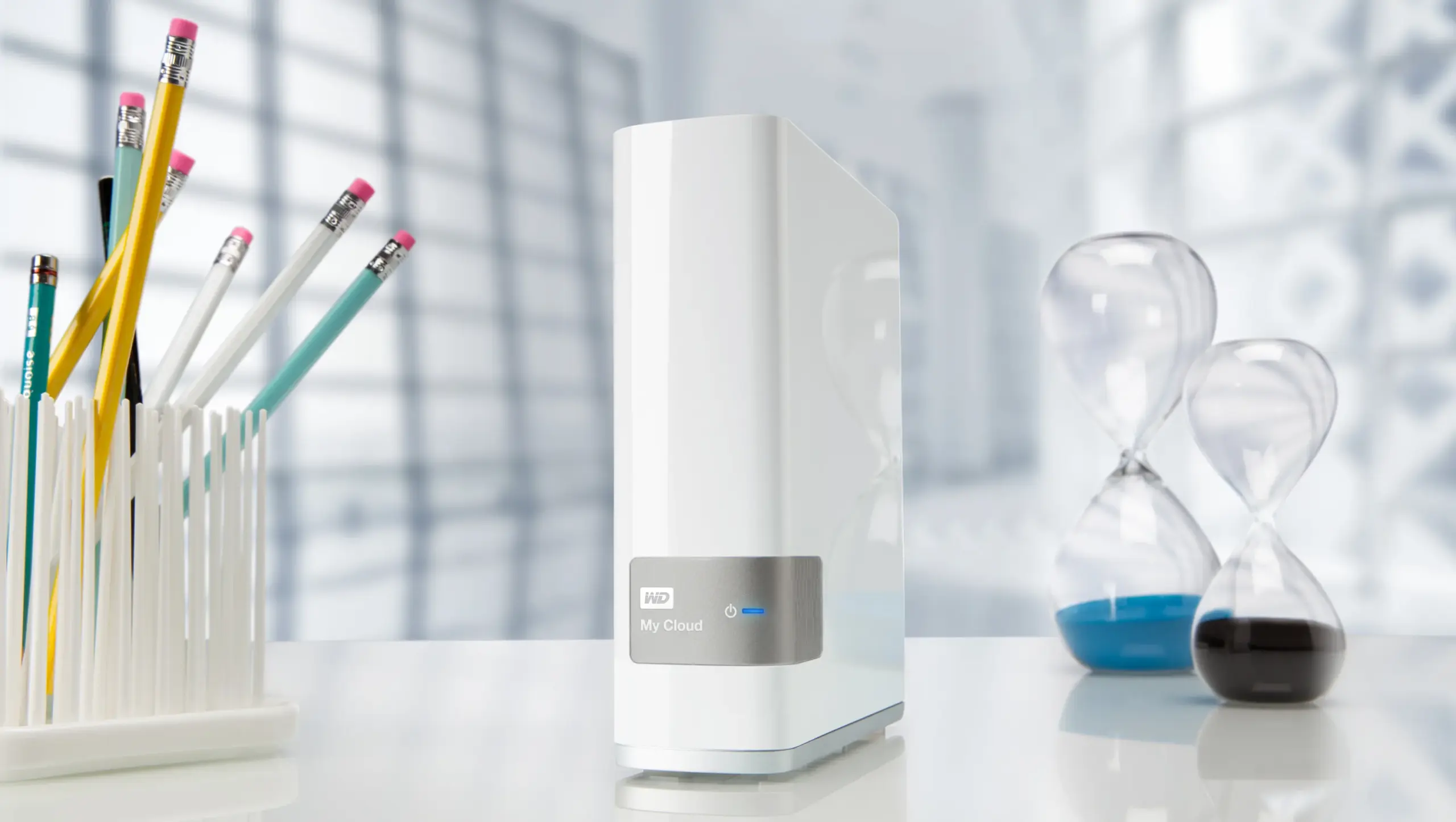
Speeding Up WD My Cloud
I recently purchased a new My Cloud device from WD, and I have come to love the thing; however, after checking out the WD Community forums for the product and based on my own experience with the device, I have decided to put up this small guide on how to improve performance and make your ride a little smoother.
After connecting and setting up My Cloud on the network, you might initially find yourself with very slow transfers and slow overall access to your cloud storage both locally and remotely. Surely this will not be the experience for everyone, but at least for some it will, just like it was for me.
I discovered a few things you can do to speed things up greatly; some of these might require you to have some basic knowledge of networking and how to get into your router and change settings, etc., so you’ve been warned 
If you run Windows 7/8 or 8.1, you might want to follow these steps to ensure your system is properly configured for ultimate network performance.
PART I
Make sure all your Ethernet cables to and from the router and to and from the modem are at least CAT5e or above (ie: CAT6 or 7) and that you are using the supplied Ethernet cable that came with My Cloud or better, (if you have them) Once you have made sure all your hardware is linked up with top of the line cabling as explained, go into your Control Panel on your Windows 7/8/8.1 then go into the “services” section and you need to make sure that the following 4 settings are set to “Automatic” and that they are (even) started:
1-) DHCP Client
2-) NET TCP Port Sharing Service
3-) SSDP Discovery
4-) UPnP Device Host
Doing the above helped vastly improve my transfers to and from My Cloud. Of course, I would also suggest anyone experiencing slow transfers to ensure they have a Gigabit-capable router too, because having CAT6/7 won’t do any good if your router is not capable of supporting the speeds those cables deliver.
Before and when you first setup My Cloud is strongly suggested you momentarily turn off any alternate DNS services such as OpenDNS, on your router if it supports it and you use it, I learned that the hard way, once you have the device fully configured and up and running you can turn those services back on.
PART II
Now let’s go to the second part of the setup. This will ensure that you can remotely access content on your My Cloud device from the internet from anywhere in the world; after all, this is the main reason we purchased this thing, right?
1-) Go into your router and make sure that you have set up address reservation so as to give your My Cloud a static IP on your home network.
2-) Go into your router’s Port Forwarding/Triggering settings and ensure port 443 is properly configured to point to your My Cloud device’s local network IP address.
3-) Go into your router’s Port Forwarding/Triggering settings and make sure port 80 is properly configured to point to your My Cloud device’s local network IP address.
4-) Go into your router’s Port Forwarding/Triggering settings and set up port 20 and port 21 to properly point to your My Cloud device’s local network IP address. This last setting makes it possible for you to be able to remotely connect to your NAS and access all your files via the FTP protocol.
I have come to realize that the initial software releases for all web interfaces and apps for My Cloud ( with the exception of the local Dashboard, which I consider to be a beautiful interface, and one of the best I have ever seen in any device) are extremely buggy at best.
So, as a workaround for the buggy software I strongly suggest anyone to download and use an FTP Client and use that instead of the official APPs and web the interface from www.wdmycloud.com there are many free good apps for Windows/Windows Phone/Android/iOS out there, For Windows I suggest FreeFTP free as its name implies or CuteFTP if you are into shareware software, both excellent programs.
PART III
Now the third and last part of my guide, this includes how to properly map your My Cloud shares into your Computer in Windows for easy and quick access to your files stored in My Cloud.
[……..] work in progress; I’ll update my post with this part soon.
So there you have it, my small guide to make the best out of your shining new Cloud storage from WD, Enjoy and share your thoughts questions below, oh don’t forget to share my page out there if you like it, thanks!
| Let's keep the conversation clean please; read the discussion rules.
Hi there,
Great information, thank you, does the advice to set the following:
1-) DHCP Client
2-) NET TCP Port Sharing Service
3-) SSDP Discovery
4-) UPnP Device Host
to automatic still apply for Windows 10?
Regards,
Paul
Hi Paul, Thank you for visiting, when I upgraded to Windows 10 I did not need to do that, however this might not be the case for some people, what I have come to realize is that sometimes security programs such as firewalls and anti virus software among others are the ones which change the default networking settings in Windows to increase security, however while doing that they mess up other programs or devices ( ie: MyCloud) from connecting properly to the network, so unless you are having latency or connection issues you should need to do it, hope this… Read more »
great article mine is whizzing about now. I dont know how the hoi polloi is ment to have figured that lot out but glad you have. Its a great little device the My cloud. Thanks : )
Any chance on getting part III? First two were great.
Cam someone please help. i can’t get port forwarding to work on my draytek router with my cloud. has anyone get a step by step guide?
Thanks
Over kill. The Western Digital My Cloud products are very poor implementation of the implemented technologies. It would be better to purchase a proper NAS Server.
Eli,
Thanks very much for posting this! I am still having issues though. My main source of confusion right now is what exactly to put in the router: external port, internal port, tcp/udp or both for protocol, also, what to put in the WD My Cloud UI: I can put 8080 and 8443 as I have read elsewhere, but it always changes them to 80 and 443 so I assume that is what is intended. Do I put 20 for external and internal, same for 21.
Thanks very much!
Hi Dave, thanks for stopping by, you should select both TCP/UDP on the router settings, I would leave the default ports 80 and 443, now remember that these must be the same ports indicated on WDMyCloud or otherwise it won’t work. To be able to FTP into your WDMyCloud using a regular FTP client you must also forward ports 21 and 22 on your router to the WDMyCLoud’s IP address and you must select TCP only as the protocol. Now remember that when you attempt to connect remotely to your device you have to input your network’s public IP address… Read more »
Hi,
So if I understand correctly, we’re to point ports 443, 80, 20, 21 to the router’s IP, or the NAS IP?
Having a little trouble understanding. Hope to see a reply!
Hello Anon,
Thank you for visiting, you must point those ports to the NAS (WDMyCloud) Device IP address, not the router’s IP, Any questions let me know.
Hi Eli – in a previous article you wrote about Ooma, which I have also used for several years now. By default Ooma device sits in front of the router, which depending on router (mine=older Apple router) can make it difficult to see a NAS device remotely. My question – where does your router sit in relationship with Ooma and WD My Cloud, and what if any adjustments to make it work? Many thanks!
Hi Gary, I have my Telo behind the router, actually all my home devices are behind the router, if you have a good router with gigabit ports and at least CAT5 or 6 Ethernet cables you shouldn’t have any problems with Ooma with this setup, I know Ooma recommends the other way around, but I can’t for the love of me understand why they would suggest that, that’s bad advice period. Ooma ports are not Gigabit ports as far as I know and right there goes your WD MyCloud speed (Even if you have a good router and cables) if… Read more »
It’s a ***bleep***
THANK YOU SO MUCH!!!! Modifying those services has me FINALLY seeing the transfer rates I should be seeing.
Hey KC, glad it worked for you and thank you for visiting the blog.
Eli, I can’t thank you enough for taking the time to post a solution to this aggravating problem of instability and slow throughput. I have owned the WD Mycloud for nearly six months and have lost nearly a third of my hair trying to solve the problem. What I don’t understand is why Western Digital has not figured this out and posted a solution more than a year ago. I was poised this weekend to canibalize the drive and try and use it as a fixed external drive forgoing the NAS features and remote access. Your efforts are greatly appreciated.
WOW! just changing the settings in services changed my transfer speed from 2 to 12 mbs to 95! THANK YOU!
Thanks mate… the services adjustments alone improved speed by 20% I reckon.
Hi
I have WD Mycloud 3TB drive connected to my basic wifi adsl modem.
I have the same problem as most of the people here. Tremendously slow data transfer speeds.
I have couple of questions:
1. If I upgrade my ADSL router to a Gigabit router, would the data transfer speed change drastically?
2. Again upgrading the router to Gigabit would increase the wireless transfer rate?
Upgrading to Gigabit router is a costly thing. Need to be sure before I invest into it.
Thanks in advance
Nitin upgrading to a gigabit router definitely increases the overall speed of your network on both wireless and Ethernet connected devices, I would def advice you to upgrade, get an A/C router so you are also future proof. I cannot think of a single negative of getting a gigabit device, however you can always return it and get something else if it doesn’t work for you, which I seriously doubt it could happen, also don’t forget to get your cat5 cables to connect your modem to your router and from the router to computer if your PC is connected via… Read more »
I just bought two 12TB MyClouds and have them hooked up to my iMac through a 1GB switch. I’ve got 6TB drives on Thunderbolt. I’m transferring a 100GB file (iPhoto) from the 6TB to the new 12TB. It’s taken 7 hours, but it seems to zip through a few GB’s saying it’ll be an hour and then grind to a halt for a while, while the copy dialog suggests it will take 27 days. It’s been cycling all day. The 1GB green lights remain lit on the switch. Any thoughts?
Lee thanks for reading my blog, the Operating system (OS) graphical indicators sometimes get confused when transferring such large files, the 27 days remaining is most definitely incorrect and just erroneous reading, 100GBs of data is a lot of data, but it shouldn’t take 7 hours, perhaps you need to reboot all devices and try again?
Thank you so much ! I was about to bring it back to the shop !
Eureka!!! Truly excellent advice. I was having latency and extremely unpredictable connection problems with the WD windows 8.1 app. I was able to access the drive from my computer (most of the time), but access via the app kept losing the device, and when it did connect properly it was painfully slow and never seemed to get to the end of discovery all of the folders. My settings were the same as KT’s above and those very simple adjustments made the difference between loving this drive, and sending it back to WD as possibly defective. Thank you, Eli, for taking… Read more »
Hi.
Thanks for the info, that improves the access to my WD MyCloud.
Hi guys !!!
I recently purchased D-Link 2750 router and I have WD Book Live (1 TB). I am trying to accedd it wirelessly through router. But i am unable to connetc WD via router.
Need help. What settings do I need to chang.. I do not know much about networking.
I have a My Cloud connected directly to a brand new ASUS router. Having issues with speed, the NAS appearing in my workgroup, and permission issues with mapping drives!
I will try the suggestions above…
Google portforward.com or just go there. It will help you set up port forwarding. Doing this step will significantly improve both speed and stability.
Followed your steps Part 1 and Part 2. When I try to copy or delete file over the Windows Explorer for my mapped wdmycloud drive, it is still extremely slow. I got the mapped mycloud drive by logging into the wd2go website and selecting my shared folder which map a drive in Windows Explorer.
I am not sure how to FTP my folder via Internet since my outside IP is dynamic. I think I need to ddns to a domain website like dnsdyn….am i right?
can you explain how to set up static ip to use the mycloud and not mess up anything else…just ordered it.
Thanks
I had very slow transfer rates on my Mac and PC I mostly use the MyCloud for photos so I had many folders in the base Shared Photos folder. Moving them from the base to separated by year ie. 2004, 2005, 2006 … and all photo folders for each year under that helped a ton. Also I replaced all my switches with gigabit ethernet switches, and ran new Cat6 Cables. Made sure the MyCloud was not on my 10/100 router but instead connected directly to my GB Switch. Much faster. Transfer speeds went from 10-30mb to 100-300mb so quite an… Read more »
Please do you have a answer to speed up performance on a iMac
It takes forever to do anything. Just updating info on the dashboard can take minutes!
My Cloud connected to Hawaii HG533 router (Talktalk)
I’m not too knowledgeable with networking!!
Regards
Brian
All cables are solid Cat5e
Hi Eli — any chance you’d know how to speed up performance on a Mac as well? The time it takes just to populate a window with a list of files is excruciatingly slow, and WD has been little to no help…thanks in advance for any advice you may have!
hello!,I like your writing so much! share we keep up a correspondence extra about your article on AOL? I require an expert on this space to resolve my problem. May be that is you! Looking ahead to look you.
I loved your post. Much thanks again. gdkeddegcadf
I find your postings helpful and informative. Perhaps you have an insight on another issue related to the WD My Cloud. I see period activity where the WD is sending data at the rate of 4 Mbits/sec (don’t know where to). When occurs my internet download/upload speeds are affected. No apparent cloud access by any device. Any suggestions?
worked awesome on Lan any way to help wifi?
Thanks!!! This is exactly what I needed. I went from 6 Mbps to over 500 Mbps by entering the port forwarding information. And despite having a brand new CAT5e cable on one of my computers, changing it out for a new one resolved the issue on that one as well.
Hi
Thanks for helping everyone
I have computer and wd mycloud connecting to swich( my router d-link 6740u support 10/100 and the switch 1G ) I just got a static IP and I want to now how to config the wd mycloud and my router to static and if I can connect to my wd mycloud just by typing my IP address or something similar?
Thanks
Thanks a ton buddy! I haven’t tried going through all the steps but will do it soon. Am waiting to get my Cat6 cables delivered.
Setting up WD Cloud is a headache
Hi Eli, your suggestions improved my speed by about 2 mb/s. Thanks!
Great! thanks for the info. It really improved the speed in our small network with mycloud.
Thanks!
I have a 4 TB WD My Cloud. Transfer of data was terribly slow: 1MBps at maximum.
Not the WD My Cloud, but 360 Internet Security (QIHOO) was the main cause. Without security package installed the transfer speed was 10 to 12 MBps. With other internet security installed, the speed is also about 10-12 MBps.
The speed is now still limited by the used UTP cables and the backup application SyncBack.
I’ve read a lot of forums, but still have an amazing slow performance. (max 3MB/sec). – All windows services as mentioned above are set Automatic and running as described. – Correct cables used – All servers in mycloudex4 disabled . no media serving . no itunes serving . plain setup – connected NAS directly to D-link wireless router (10/100) – mapped network drive (Z:) fom NAS public folders, and using drag and drop to copy – mapped external drive (Y:) (mybook), which is shown through the NAS Two ways of copying : 1. External hard drive (mybook) directly connected to… Read more »
Hi Pad, thanks for reading my site and for checking out my review, on your post you say:
– connected NAS directly to D-link wireless router (10/100)
I think that might be your main reason for your slow connectivity, to ensure the best results you should make sure your router supports Gigabit Ethernet, not just 10/100, hopes this helps.
Hello, You write put on 1-) DHCP Client 2-) NET TCP Port Sharing Service 3-) SSDP Discovery 4-) UPnP Device Host To Automatic, but then you don’t write what speeds you have ? 2,3,4 Are not automatic with me and 2 is even disabled. 3 and 4 are manual and started. What difference does it make ? Please show the differences, thanks. Cat 7 ? Why Cat 7 ? Cat 7 is only necessary in Data Storage Centers of Microsoft and Google. Even Cat 6 is not necessary, Cat 5e just alone will do the job. You can even use… Read more »
Hi KJ, the difference is that I have actually seen instant recognition of My Cloud on my network after enabling those Windows services, ie: when I open “Computer” before it would take a long time to show up devices on my network, now it’s instant! I also definetly connect at higher speeds 70MBs or more where before I used to barely get 30MBs transfers from my PC to the My Cloud device. I agree CAT7 is probably not needed but if you have an almost empty highway and a crowded one to travel why not use the first one, more… Read more »
Hi, is it possibleto install a web server on the WD mycloud?
Hi Jons, I have seen people posting about it at the WD forums, I have not tried myself, but it seems to be possible, I wouldn’t recommend it though as it would void your warranty and bad things can happen to your device when you do unsupported modifications it wasn’t designed for, cheers!