

Corner Rounder – Sleek Rounded Corners for Your Screen
Corner Rounder is a lightweight Linux utility that overlays rounded corners onto your display, functioning much like Displaperture does on macOS. While originally developed for the Deepin distribution, it should run smoothly on any Debian-based system with an X11 desktop, though it doesn’t support Wayland just yet.
As modern UI designs and high-end monitors such as Apple Studio Display XDR bring back the retro, rounded look of classic CRT displays, Corner Rounder offers a simple way to give your current desktop a sleek, modern aesthetic.
Corner Rounder supports Spanish if the system language is set to Spanish, though the interface appears in English by default on any other systems. Plans are in place to add support for other languages in the future.
The reason I created this app for Deepin is that there are apps for Windows and macOS, as well as extensions for GNOME, but I couldn’t find a way to do this on Deepin. The app, however, should work on Debian-based distros with X-11.
It doesn’t actually round the physical corners of your monitor (that’s impossible); instead, it draws small, opaque quarter-circle masks in the four corners of each screen, using small, always-visible windows that allow clicks to pass through, with a size exactly matching the corner’s radius. This way, the screen appears to have rounded corners without ever blocking interaction anywhere else on the screen.
Corner Rounder Graphical User Interface
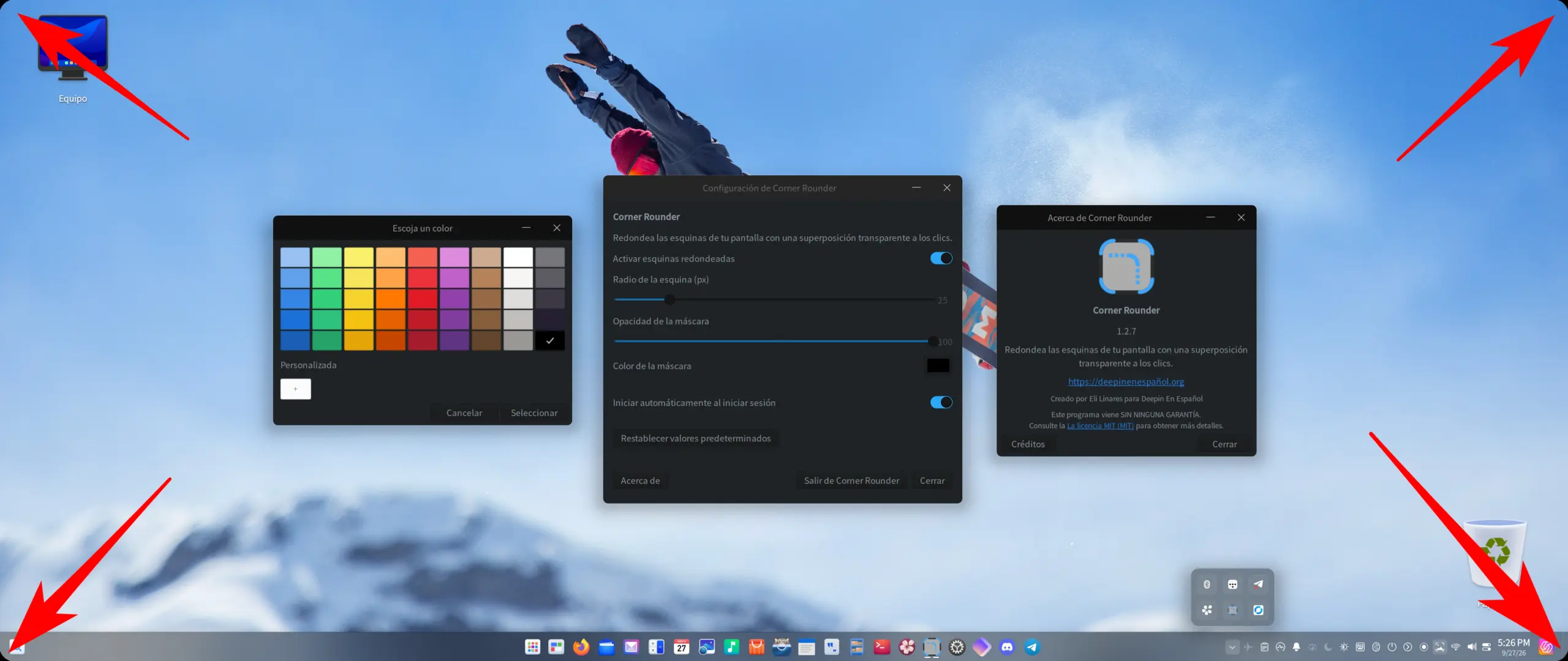
The app’s interface is extremely simple and provides easy access to settings and options. After installation, you’ll find the Corner Rounder icon in your system’s app launcher. Once launched and configured to your liking, you can close the settings window and let the app continue running in the background.
The app includes an icon in the system tray for continuous access, even when the settings window is closed.
Feature Set

Download & Install
You can download and install Corner Rounder from the “Software” area on the site. Simply add “Corner Rounder” to your cart to download it and install it for free. You will not be charged anything for it.
Once downloaded, double-click on the .deb file and start the install process. Follow the installer prompts to complete the installation.
Manual Install
You may also install it manually. Open a terminal window in the same folder where you downloaded the file, and type the following commands as needed.
sudo apt install ./corner-rounder_1.2.8_all.debIf apt reports missing dependencies, run:
sudo apt --fix-broken installI hope you enjoy the app. Let me know if you have any issues with it, and I will attempt to fix it. Feel free to leave a comment below with any questions or feature requests.


| Let's keep the conversation clean please; read the discussion rules.