

Delayed Plugin Updates
The golden rule of WordPress maintenance used to be straightforward: see an update, click update. For years, keeping plugins on their latest versions was hailed as the definitive defense against vulnerabilities and exploits.
Today, the threat model has fundamentally changed. Supply chain attacks, credential stuffing, phishing targeting maintainers, and abandoned plugin takeovers mean that a malicious release can look completely legitimate to WordPress core. When an attacker compromises an active plugin repository account, the poisoned update gets pushed directly to your dashboard. Sites that rush to install day-zero updates effectively serve as the canary in the coal mine.
To counter this risk without introducing manual friction, I created Delayed Plugin Updates—an open-source, lightweight WordPress plugin that enforces an automated waiting buffer on update notifications while maintaining an intelligent bypass for critical security patches.
The Rising Danger of the “Day-Zero” Release
When an update contains a malicious payload or a critical breaking bug, the WordPress community moves fast. Within 48 to 72 hours, hosting firewalls catch the anomalous behavior, security researchers publish teardowns, and the WordPress.org plugin directory team pulls the offending version.
The most vulnerable sites are not those running stable code from two weeks ago; they are the sites configured to update immediately or managed by admins who treat red notification badges like urgent to-do lists.
Rushing into day-zero releases creates two distinct threats:
By enforcing an intentional delay, you allow the broader ecosystem to stress-test the release, detect rogue maintainer takeovers, and push follow-up fixes before that code ever touches your server.
How Delayed Plugin Updates Works
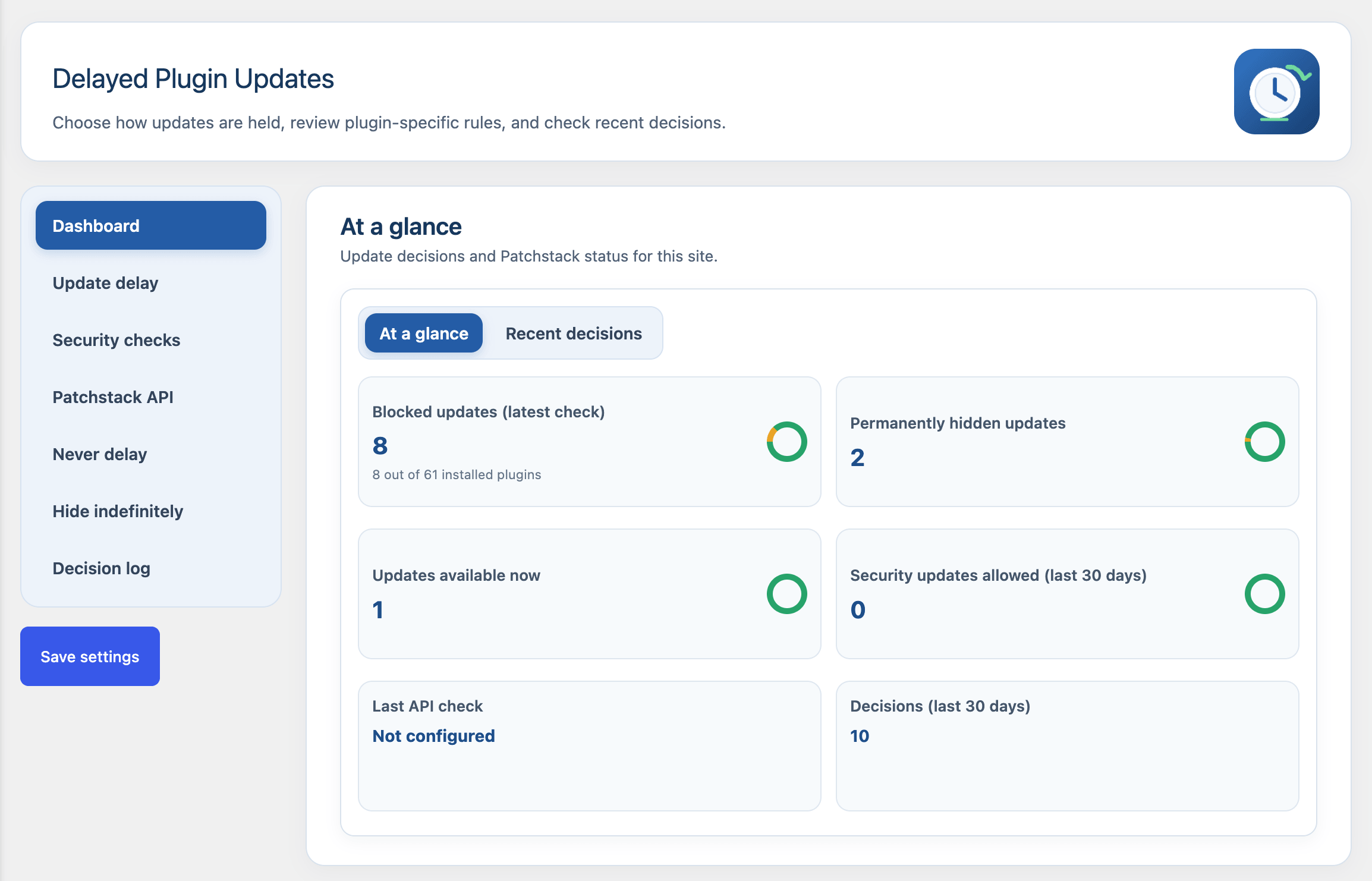
Delayed Plugin Updates sits between WordPress’s internal update transient mechanisms and your administrative views (update.php, plugins.php, and the admin toolbar), as well as native background auto-updater routines. It does not introduce heavy background daemons or messy database bloat—it operates cleanly within WordPress’s native filter ecosystem.
Using Delayed Plugin Updates doesn’t mean you’ll miss out or be in the dark. You’ll still see those dashboard notifications—they’ll just wait until your delay timer runs out. And if you choose to “Permanently Hide” a specific update, it will stay hidden until the developer releases an even newer version.
  Available Plugin Update Detected
               │
               ▼
   Patchstack API Configured?
    ├── Yes ──► Installed Version Has Published Advisory?
    │                 ├── Yes (Candidate fixes it) ──► Bypass Delay (Show Immediately)
    │                 └── No  ──► Proceed to Age Check
    └── No   ──► Proceed to Age Check (No Keyword Guessing)
               │
               ▼
   Determine True Release Age (SVN / API)
               │
               ▼
   Age ≥ Configured Buffer (Default: 7 Days)?
    ├── Yes ──► Surface Update & Allow Auto-Update
    └── No  ──► Hold Update & Block Auto-Update
1. Accurate Release Date Resolution (ReleaseDateFetcher)
WordPress core does not always bundle exact publication timestamps in default update checks. Delayed Plugin Updates contacts WordPress.org SVN repository tags and the Plugin Information API to establish the true release age. Results are safely cached locally to keep admin response times immediate.
2. Verified Vulnerability Intelligence via Patchstack API
Rather than relying on unreliable changelog keyword scraping—which can easily be spoofed by bad actors or missed by developers who write vague release notes—the plugin connects with the Patchstack Threat Intelligence API.
3. Protection for Both Manual and Automatic Updates
Many hardening tools only hide dashboard UI notices, leaving sites vulnerable if WordPress background auto-updates are active. Delayed Plugin Updates intercepts update data at the transient level, ensuring that both visual admin notifications and background auto-updates respect your quarantine window.
4. Transparent Admin Management & Overrides
Delayed updates are not lost in a black box. Site administrators can view pending updates, monitor elapsed release ages, inspect security statuses, and manually trigger installations ahead of schedule whenever desired.
5. At-a-Glance Dashboard Widget (Live Activity Feed)
To keep maintenance effortless, Delayed Plugin Updates embeds a dedicated summary widget right onto your main WordPress Dashboard screen wp-admin/index.php). Instead of digging through settings pages or audit logs, admins get an instant, high-level overview of their site’s update pipeline the moment they log in.
The widget provides real-time visibility into:
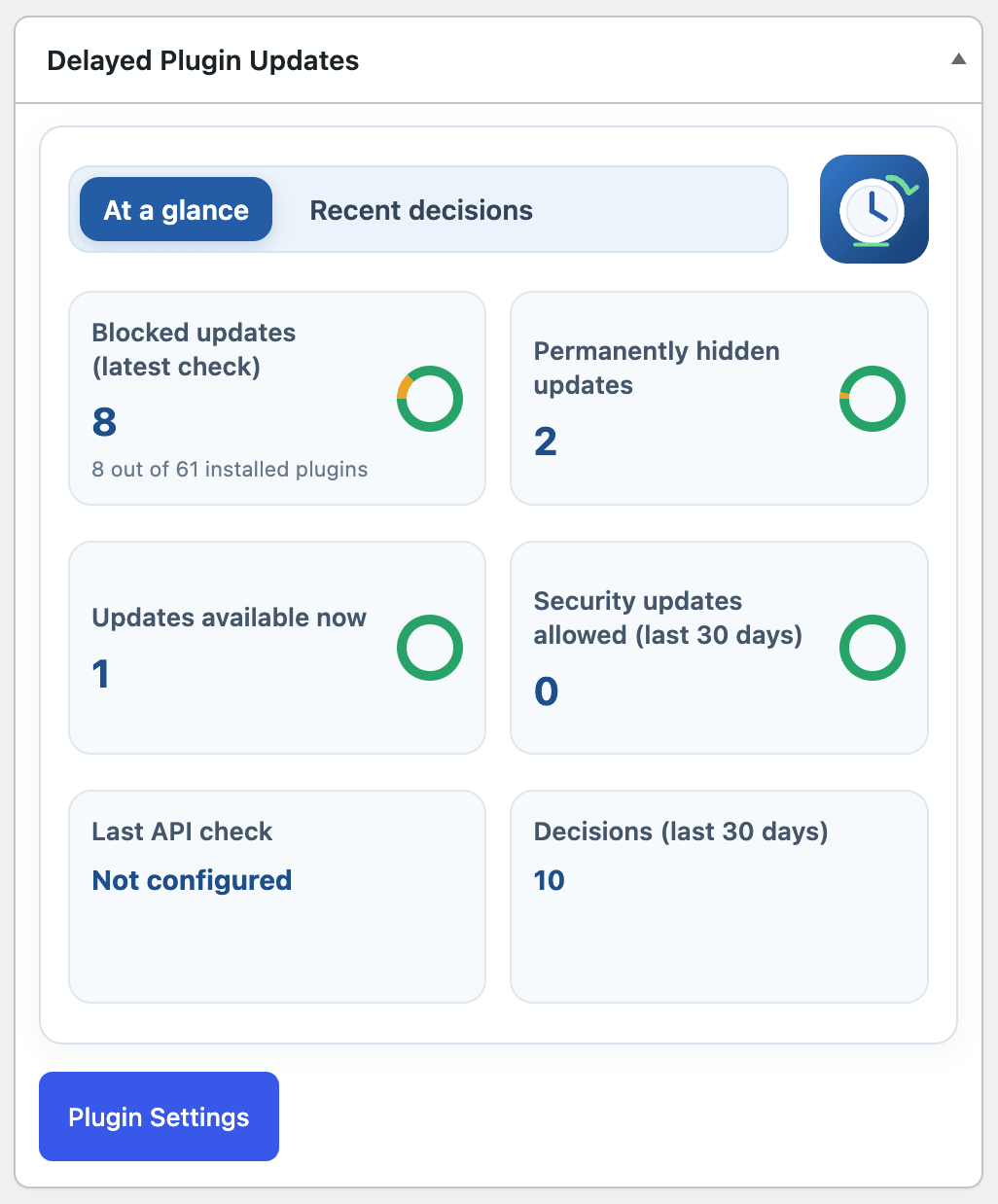
This quick-glance feed ensures you never lose situational awareness over your site’s maintenance status, giving you complete reassurance that the delay engine is quietly protecting your installation in the background.
Architectural Breakdown
The plugin is built to be lean, performant, and completely self-contained without unnecessary overhead or external dependencies:
Deployment & Workflow Setup
To download the latest copy of “Delayed Plugin Updates“, check my software page. Click on “DOWNLOAD ‘Delayed Plugin Updates’ FOR FREE” and then complete your free digital download free order.
Finding the Balance Between Promptness and Protection
Delaying updates is not about neglecting maintenance—it is about deliberate risk mitigation. By introducing a calm 3- to 7-day buffer, you insulate your production site from raw supply chain attacks while ensuring verified vulnerability fixes are still addressed responsibly.
Delayed Plugin Updates gives you the confidence that when a version finally reaches your site, it has already stood the test of community vetting


| Let's keep the conversation clean please; read the discussion rules.